

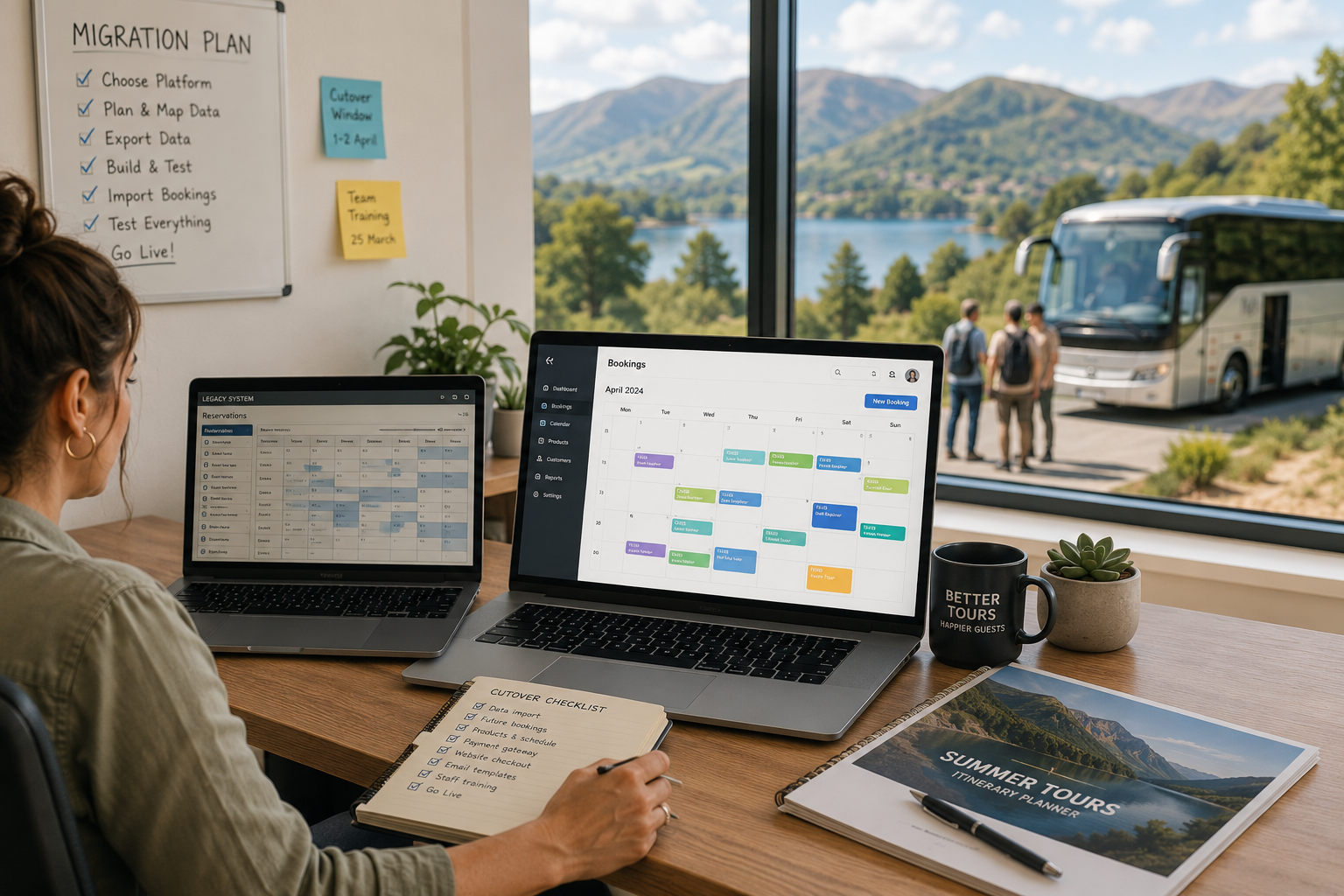
An operator we know in the Lakes ran her walking tour business on the same booking system for six years. She hated it for at least four of those years. The checkout was clunky on phones, support took days to answer, and every workaround she built added another layer of duct tape. When we asked why she stayed, her answer was the same one most of us give: "I can't face the migration."
That fear is rational. A botched booking system switch can double-book guests, strand future reservations, break your website checkout mid-season, and scramble the reporting you rely on. We have heard the horror stories, and some of us have lived them.
But staying on a system you have outgrown has a cost too. It is just quieter: a few points of checkout conversion lost every day, hours of manual workarounds every week, features your competitors use against you. The honest comparison is not "migration pain versus no pain." It is "one hard month versus a permanent tax."
Here is the playbook that makes the hard month survivable.
Choose the destination before planning the journey
Half of migration pain is self-inflicted at the selection stage, by choosing the new platform from demos and feature grids instead of from your own ugliest workflows. Every system demos beautifully; the demo is a rehearsed performance of the platform's best angles. Your job in evaluation is to make it perform your worst ones.
Before any demo, write down the five workflows that cause you the most pain today, in embarrassing specificity. Not "manage bookings" but "a family of five booked the 10 a.m., paid a deposit, now wants to move to tomorrow's 2 p.m. which is nearly full, and add a sixth person." Then in the demo, hand over your list and ask the salesperson to drive those exact scenarios while you watch the click count. A platform that handles your weird cases smoothly in a live demo will handle your normal ones. The reverse is never true.
A few evaluation questions that predict migration success specifically: What does the import process for future bookings actually look like, and can they show you, not describe it? Who does the setup work, them or you, and what does their onboarding support include at your plan level? Can you export everything, in a usable format, whenever you want? And can you speak to two current customers of roughly your size and product type, not their hand-picked references but operators you find yourself in industry groups?
Weight support quality as heavily as features. During migration and for months after, you will lean on the vendor's support more than at any other time in the relationship. Test it before signing: send a pre-sales technical question through their normal support channel, not your salesperson, and see how long the answer takes and how good it is. That response time is what you are buying.
And run a real trial if one is offered: set up one actual product, take one real test booking end to end on your phone, process a refund. An afternoon of hands-on friction now is the cheapest possible preview of the next three years.
Time it for the trough, and start earlier than feels necessary
The single biggest migration mistake is timing. Never switch in or just before your peak. The right window is the start of your quietest period, which gives you the whole trough to find problems while booking volume is low and stakes are lower.
Work backwards from that window. A clean migration takes longer than any vendor's sales team suggests, because their estimate covers their setup work, not yours: rebuilding products, retraining your team, rewiring your website, and moving future bookings. Give yourself a full quarter from decision to cutover. If that sounds excessive, it will not by week six.
What actually has to move
Break the migration into its real components, because they carry different risk levels.
Future bookings are the crown jewels. Every reservation with a future date has to exist, correctly, in the new system on cutover day. Guest name, contact details, party size, amount paid, special requests. This is the piece where errors hurt guests directly, so it gets the most care. Export from the old system, import to the new, then verify by hand. Yes, by hand: take the full list of future bookings and check a meaningful sample line by line, and check every single booking within the first two weeks after cutover date individually. Tedious is cheaper than a family standing at your meeting point with no record of their reservation.
Products and schedules get rebuilt, not copied. Resist the urge to replicate your old setup exactly. You are holding a rare chance to fix the structural things you always meant to fix: pricing tiers that no longer make sense, departure slots that never fill, options that confuse guests. Rebuild deliberately.
Historical data is nice, not necessary. Past booking history matters for your reporting and guest recognition, but it does not need to live inside the new system on day one. Export it all, archive it somewhere you can query, and import it later if the new platform supports it. Do not let historical import complexity delay the cutover.
Integrations are the hidden workload. Payment processor, website widgets, channel connections to resellers and OTAs, review requests, accounting. List every system that touches your current platform, because each one needs rewiring and at least one will surprise you. The channel connections deserve special paranoia: an OTA still pushing bookings into your old system after cutover is how double-bookings happen.
Run both systems in parallel, briefly and deliberately
The safest cutover pattern is a short parallel run. New bookings flow into the new system from cutover day; the old system stays read-only and alive for a few weeks as the reference copy while you confirm everything moved correctly.
Three rules make the parallel period work.
One system owns truth. From the moment the new system goes live, it is the single source for availability and new bookings. The old system is a museum. The failure mode is a fuzzy handover week where both systems accept bookings; that is where double-bookings breed.
Freeze the calendar around cutover. Block new bookings for a short window, even just 24 hours, on either side of the switch. A brief, planned gap in bookability is invisible to guests. A booking that lands mid-migration and falls between systems is not.
Brief the team like it matters, because it does. Everyone who touches bookings needs to know the cutover date, which system to use, and what to do when something looks wrong. The first two weeks will produce oddities; the difference between a smooth migration and a chaotic one is whether your team knows to flag them immediately or improvises silently.
The first month on the new system
Expect a productivity dip. Muscle memory is real; tasks that took your team seconds on the old system will take minutes on the new one for a few weeks. Schedule lighter admin loads around cutover and do not judge the new platform on week one friction.
Watch three things daily for the first month: every new booking arriving correctly from every channel, every payment settling where it should, and every automated guest message firing on time. These are the failure points that damage guests rather than just annoying you, and catching a broken confirmation email on day two instead of day twenty is the whole game.
And keep a running list of everything that feels worse than the old system. Some of it is habit and will fade. Some of it is configuration you can fix. Raising it with the new vendor in one organized conversation at the thirty-day mark gets far better results than a dribble of frustrated support tickets.
The question underneath the migration
Before any of this, be sure you are switching for the right reasons. A new platform fixes tooling problems: bad checkout, missing features, poor support. It does not fix pricing problems, product problems, or marketing problems, and the operators most disappointed by migrations are the ones who expected it to.
If the case is real, though, stop letting the fear tax you. The operator from the opening paragraph finally switched two winters ago. Her words after the first full season: "The migration was three bad weeks. Staying would have been another three bad years."
For what it is worth, ease of getting data in and out was one of the criteria that led us to Dazhboards for running support, sales, operations, and marketing in one place, and it is the first thing we tell operator friends to test in any platform demo: ask to see the export, not just the import. Any system confident in its product makes leaving easy. That confidence tells you more than the feature list does.